
June 2026 Chatlyst Updates: Multimedia Messaging and LINE Integration
Jun 29, 2026
By Edith Clementine
See what's new in Chatlyst and what we're gradually rolling out. ✨
We have introduced full multimedia messaging so your team can easily share images, videos, and files in chat, alongside a seamless new integration to connect directly with your LINE Official Account.
Bring your customer conversations to life with multimedia
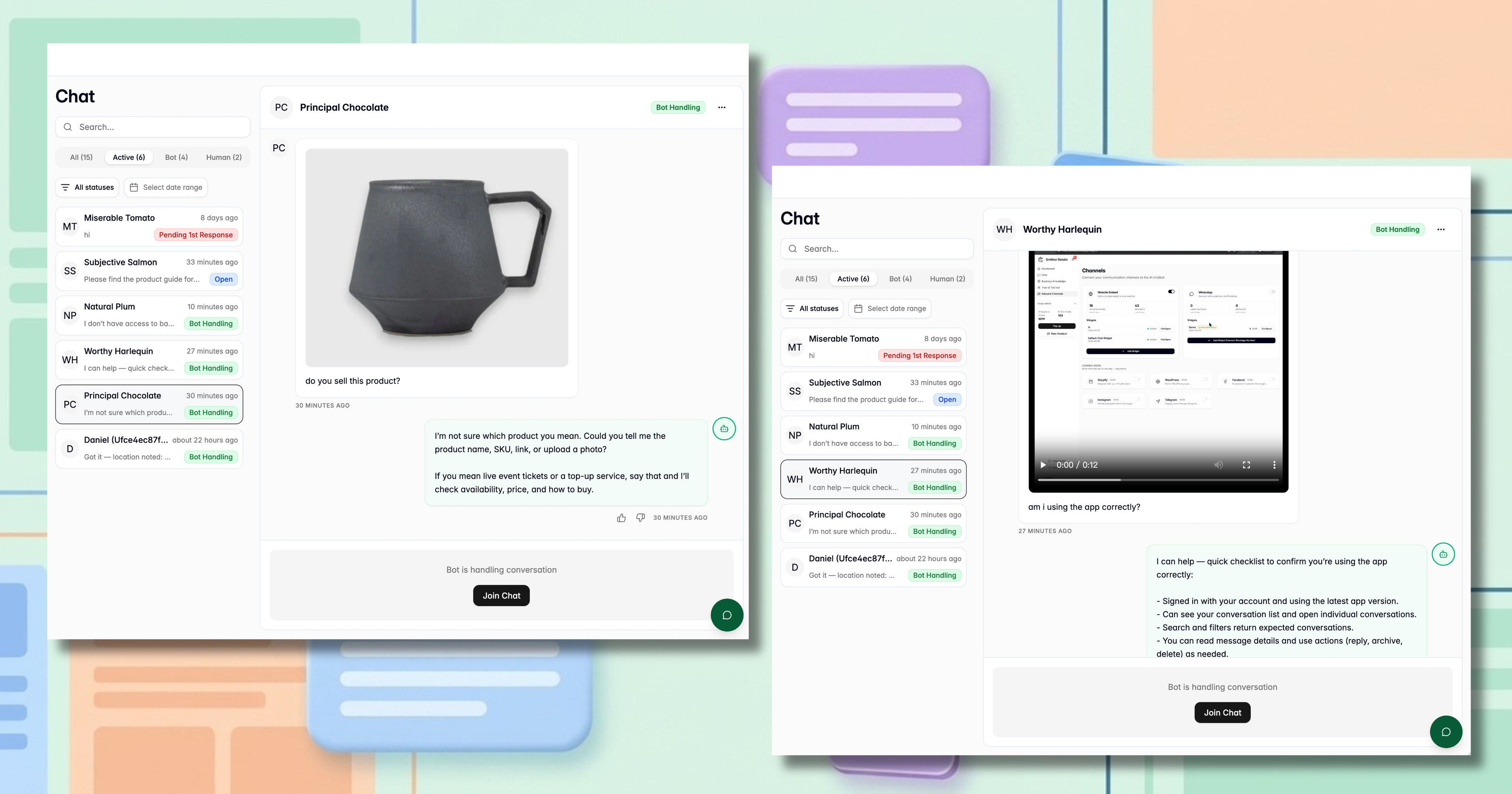
Text-based support is great, but sometimes words just aren’t enough to get the job done. You and your customers can now seamlessly exchange images, videos, and files directly within the Chatlyst window. Adding this visual context goes beyond basic text and offers a few major advantages for your team.
Faster issue resolution When customers run into a problem, explaining it with text alone can be frustrating and time-consuming. Now, they can simply upload screenshots or short screen recordings of the issue directly into the chat. By instantly showing your team exactly what is going wrong, you eliminate back-and-forth guesswork, bypass lengthy explanations, and drastically reduce resolution times.
Clearer step-by-step guidance Sometimes, the best way to help a customer is to visually show them exactly what to do. With our new multimedia capabilities, your support agents can send PDF manuals, tutorial videos, or detailed visual aids right within the active thread. This allows you to walk users through complex software setups or troubleshooting processes step-by-step without forcing them to check their email or open external links.
A better, more human customer experience Rich media ultimately makes digital conversations feel much more interactive, helpful, and approachable. By breaking up walls of text with helpful visuals and documents, you can elevate standard support chats into highly engaging, personalized experiences that build trust and customer loyalty.
Note: While images, videos, and files are fully supported, location and contact-sharing features are currently only available on select widgets.
Connect directly with customers on LINE
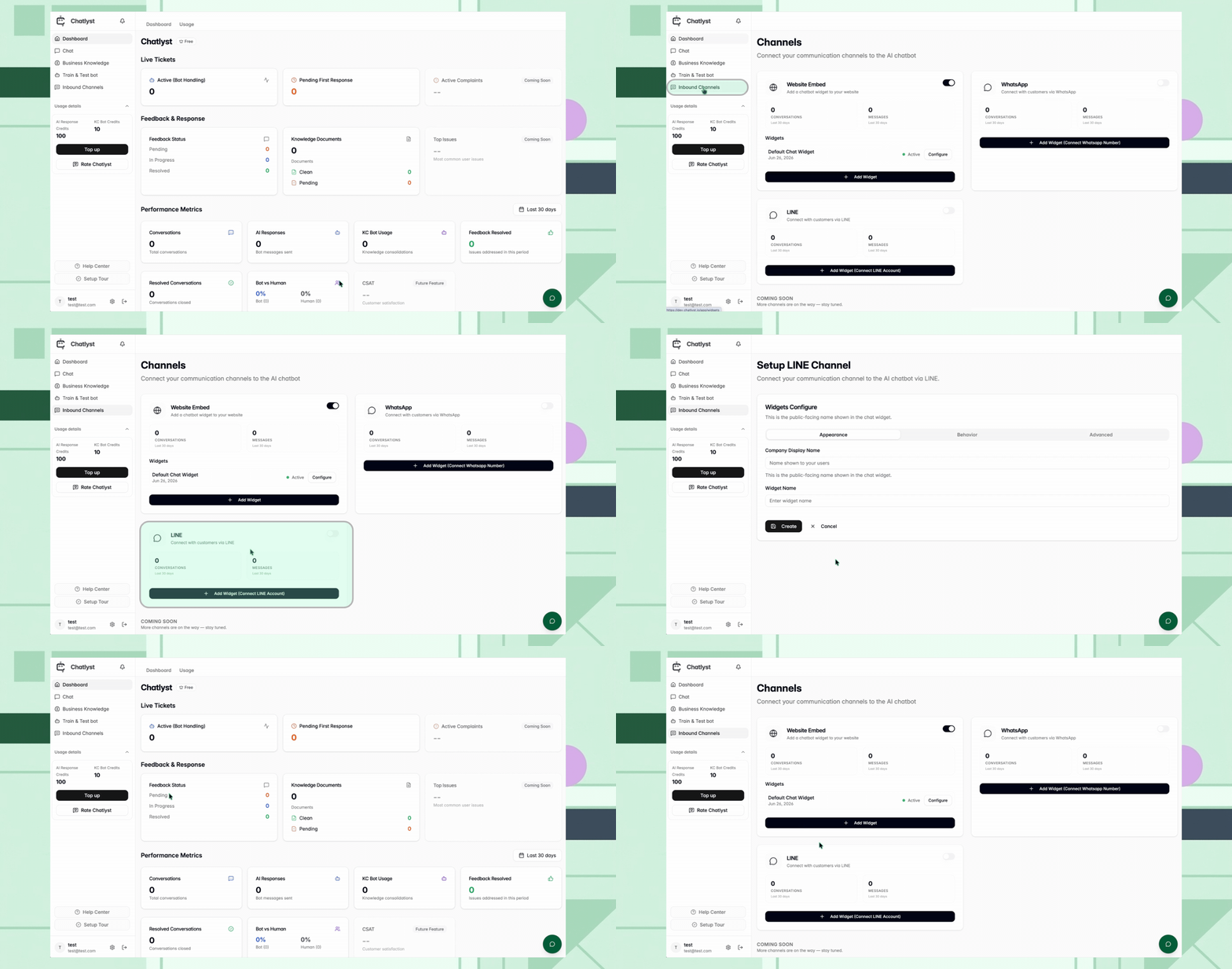
Reaching your audience where they already spend their time just got easier. You can now link Chatlyst directly to your LINE Official Account so you can manage incoming inquiries seamlessly.
Here is how to get connected:
- Generate credentials: Create a Messaging API channel in the LINE Developers Console to retrieve your Channel Secret and Channel Access Token.
- Configure Chatlyst: Drop these credentials into your Chatlyst dashboard. (Your LINE Bot ID will fetch automatically once a valid Access Token is saved).
- Enable webhooks: Set your Webhook URL in the Developers Console so messages route successfully into Chatlyst.
- Adjust response settings: In the Official Account Manager, turn off default auto-responses and enable the Webhook and Chat features.
Ready to set up your integration? Head over to the Chatlyst User Guide for a complete, click-by-click walkthrough.
Ready to Get Started?
At Chatlyst, we're committed to helping you maintain your brand's unique voice—no robotic replies here.